What it's for
Hours that land on the right job without anyone filling out a timesheet on Friday, and a payroll file that's already right.
For the crew
- Clock in and pick the job, shop time or drive time.
- Change job moves to another job from now on, or puts the time since clocking in on the right job. Lunch and Clock out are on the same card.
- + Add time covers time someone forgot to clock.
- It works with no signal and sends itself when the phone is back online.
- Or say it to Ask: "Clock me in on the Thornton job."
For the office
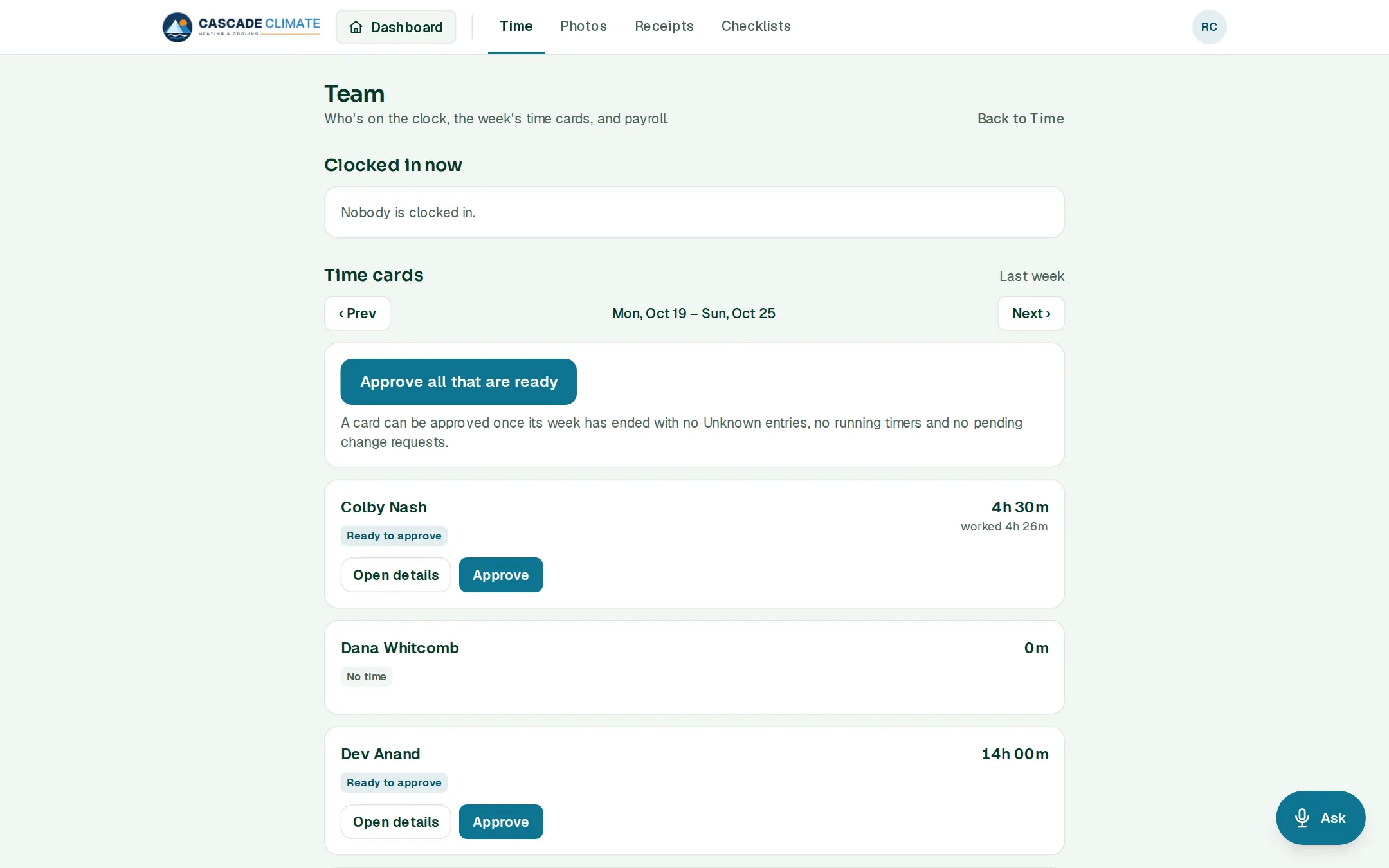
- Team shows who's clocked in right now, the week's time cards, change requests and hours by job.
- Approve all that are ready: a card can be approved once its week has ended, with no unknown entries, running timers or pending change requests.
- Payroll export for the pay period: each person's regular, overtime and double time hours, as a file for Gusto, QuickBooks Payroll, ADP or a plain spreadsheet, with the steps for importing it.
What it connects to
- Job Costing: the real hours on every job come from the clock.
- Reports: hours worked, hours bid against worked, and who produces.
- Calendar: the crew clock in on the job they're booked on.
Good to know
- Set the pay period, when overtime starts (over 40 hours a week, also over 8 a day, or California's rules), the lunch length, rounding, and how long people can change their own time.
- Every change to a time entry keeps its history.
- The owner decides who can approve time cards.