What it's for
Knowing whether each job made money, not just whether the year did, so the next bid is better than the last one.
How it works
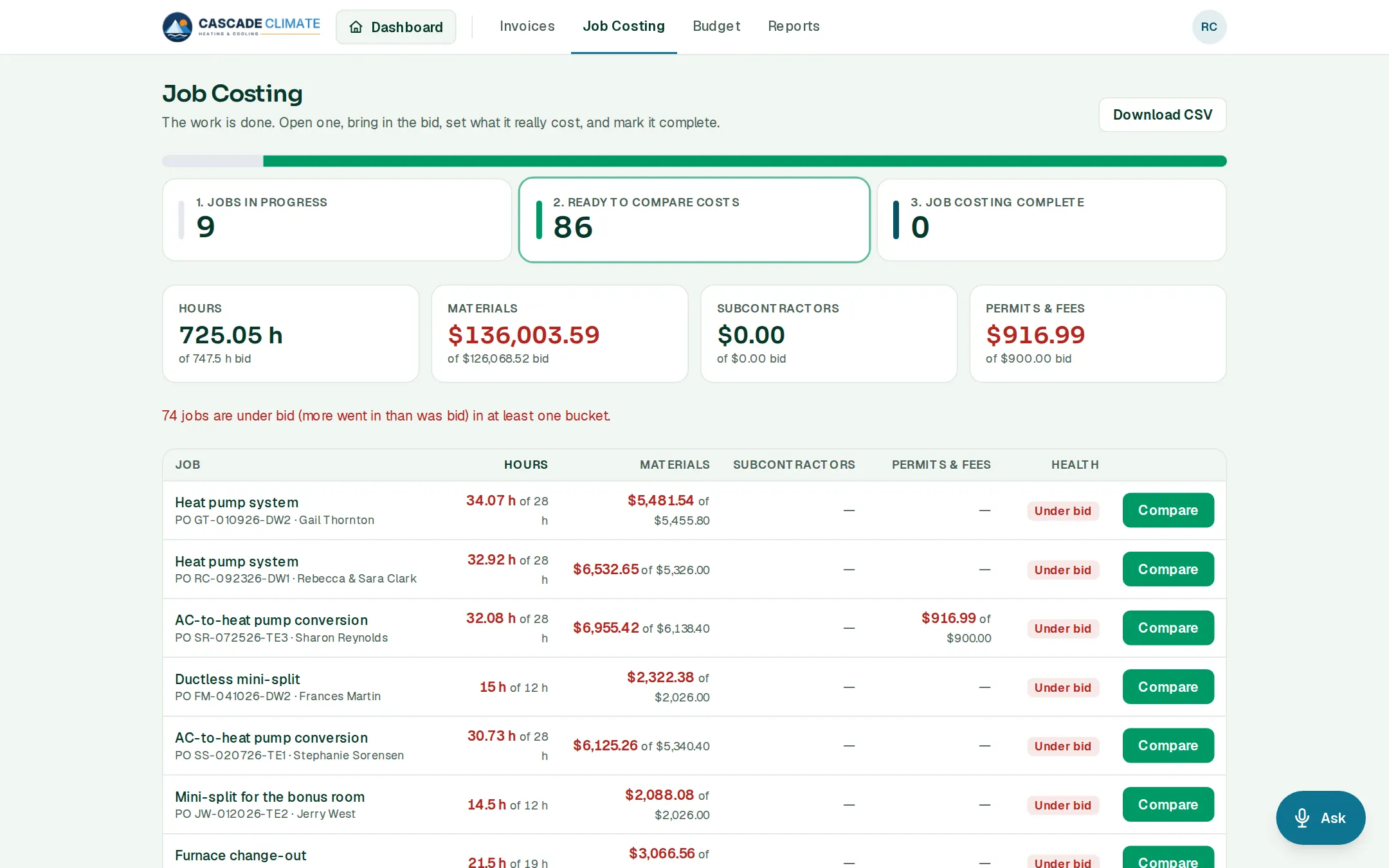
- Jobs move through three stages: Jobs in progress → Ready to compare costs → Job costing complete.
- Once a job is completed it's ready to compare. Tap Compare and enter what really went in. Import from bid fills in the bid to start from.
- Hours come from the time clock, and sold receipts land on the job's materials. A number can also be set by hand when the real cost came from somewhere else.
- Tap Mark costing complete when the job's numbers are final.
- Across jobs, the totals show hours, materials, subcontractors, and permits and fees, actual against bid, and how many jobs went over in at least one of them.
What it connects to
- Estimates: the bid, including signed change orders.
- Time: the real hours.
- Receipts: the real materials.
- Reports: the margin on finished jobs.
Good to know
- Download CSV takes every job's numbers to a spreadsheet.