What it's for
Good, better and best on every job, without building three estimates. The homeowner sees three options with their warranties and prices, picks one and signs.
How it works
- Tap + New estimate, or Create estimate on a customer's page, and pick the customer, the service type and what it's for.
- The builder has five steps across the top: Customer → Descriptions → Costs → Final details → Present. Everything saves as you type.
- Descriptions: write what each package includes. Copy from another package, tap Rewrite with AI to tidy the words, or tap the mic and talk.
- Costs: materials and labor, equipment and subcontractors, permits and fees, pulled from your price book or dropped in as a prebuilt job. Each package is its own column; build one and copy it across.
- Final details: the dates, how long it's good for, a discount, sales tax, notes for the customer, and the photos and videos to send with it.
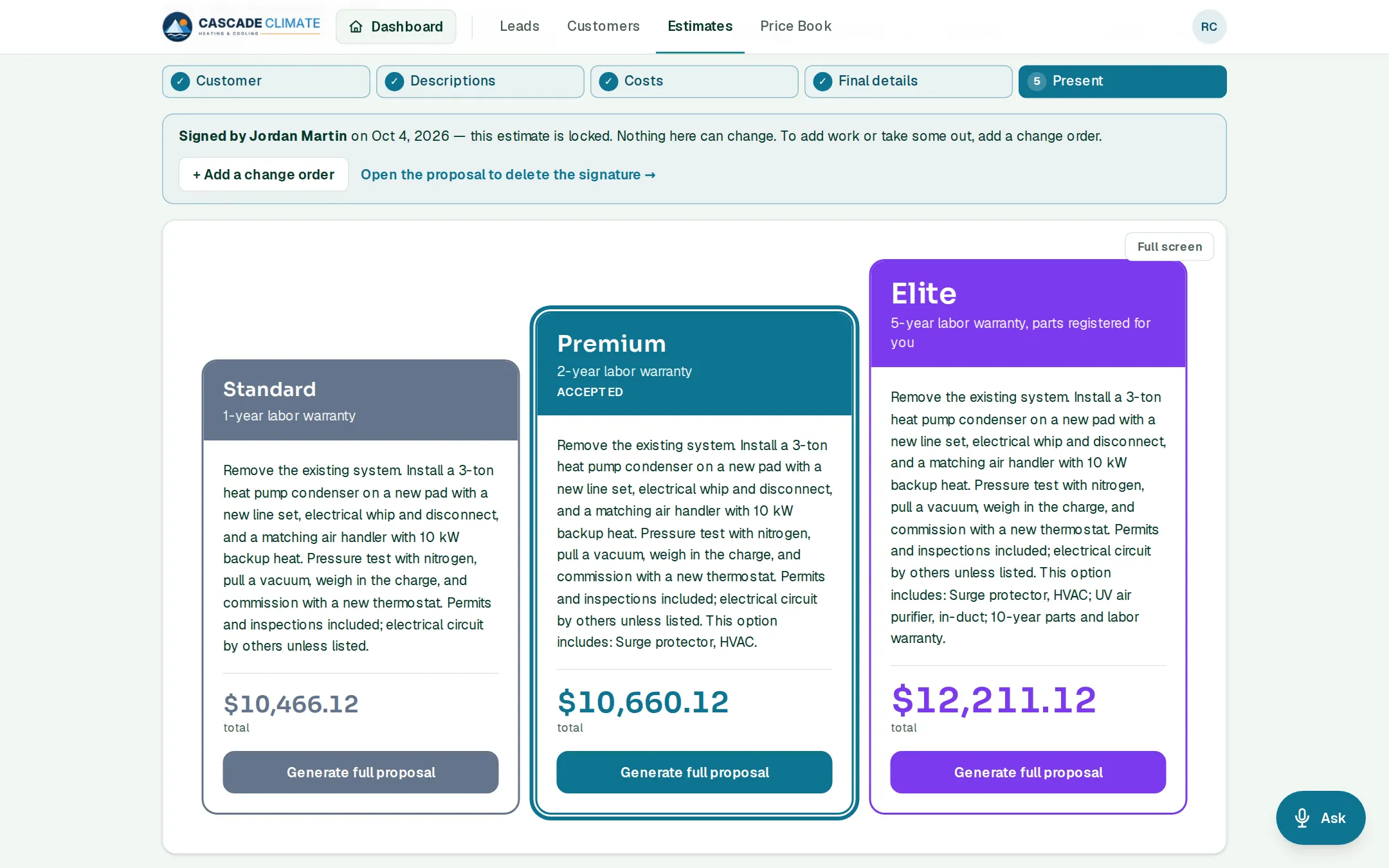
- Present shows the three packages side by side. Tap Generate full proposal and send it by email or text. The customer reads it at a link and signs the package they want.
After they sign
- The estimate locks, and the job lands on the Jobs board as Won, with a PO number.
- Collect down payment makes the deposit invoice. With online payments on, the customer can pay the deposit right after signing.
- Schedule the project puts the work on the calendar.
- Work added later goes on a change order, numbered like 1042-CO1 and signed the same way. Once signed, it's part of the PO, its invoices and Job Costing.
What it connects to
- Price Book: every cost on the estimate comes from it.
- Jobs: a signed package becomes the job.
- Invoices: the deposit and the final bill come from the signed estimate.
- Job Costing: the bid is what the real costs are compared with.
Good to know
- Prices come from your costs plus the markup, overhead and profit in Settings → Pricing, not from the price book.
- Name and color the three packages, and set the warranty each one carries, in Settings.
- Import an estimate from a spreadsheet, or start one by voice: "Start an estimate for Pat Lee for a furnace replacement."
- Follow-ups go out by themselves until the estimate is signed, declined or expires.