What it's for
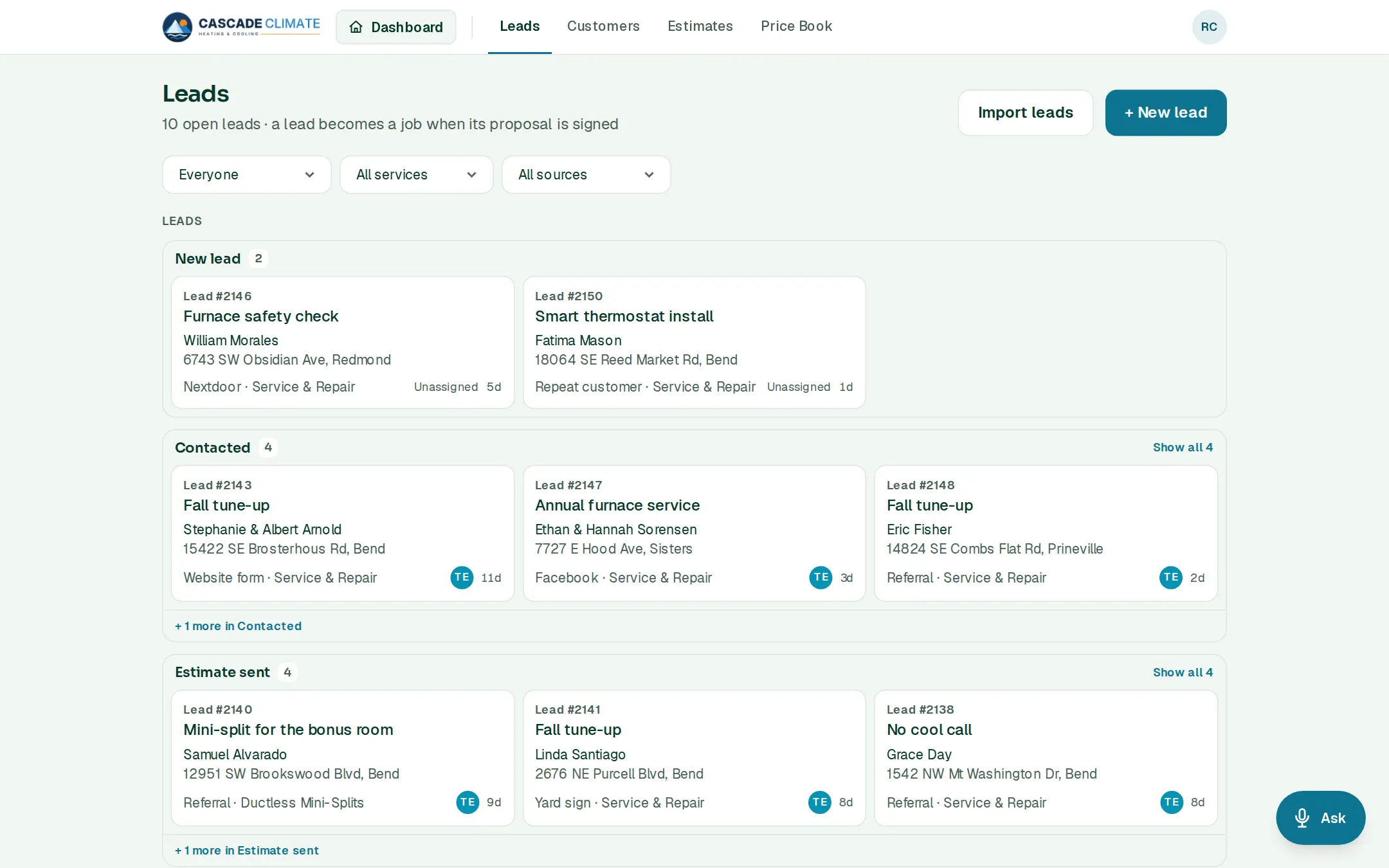
The front door of the business. Every phone call, website form, ad and referral becomes a lead card, so nothing lives on a sticky note or in somebody's texts.
How it works
- Tap + New lead on Home or Leads and type their name, phone and what they need. The rest can wait.
- If the phone or email belongs to a customer you already have, BrycoOps asks whether it's the same person, so you don't end up with two of them.
- Leads move across the board: New lead → Contacted → Estimate sent. Drag a card on a computer, or open it and move it.
- Start the estimate from the lead. When the customer signs the proposal, the lead becomes a job on the Jobs board.
- A lead that goes nowhere moves to Lost, with the reason picked from your list.
Where leads come from
- Typed in, or said to Ask: "Add a lead: Mark Ellis, furnace replacement, from Google."
- Lead emails forwarded to BrycoOps, Google Ads and Facebook lead forms, and your website's contact form, each tagged with its source. These outside connections are on the Team and Company plans.
- A spreadsheet of leads, on every plan.
What it connects to
- Customers: every lead belongs to a customer.
- Estimates: the estimate starts from the lead.
- Jobs: a signed proposal turns the lead into a job.
- Reports: lead sources and lost reasons add up, so you can see which marketing pays.
Good to know
- Lead sources and lost reasons are your own lists, under Settings → Lists & templates → Lead sources.
- Estimate follow-ups email themselves on the days you set, and stop when the estimate is signed, declined or expires.
- A phone notification can tell you the moment a new lead comes in.